People ready to work, not only equipment ready to run.
DigiDocs publicly positions its product around equipment inspections, lift plans, job safety analyses, and field documentation. CrewSafety starts from a different record: the worker. It tracks the certifications, training, deadlines, and proof that determine whether a person is cleared before a crew mobilizes.
These jobs can sit side by side. An equipment inspection shows what was checked on site. Workforce compliance shows whether the people assigned to do the work are qualified, current, and documented. The useful comparison is which system should own the risk you are trying to control.
CrewSafety is best for...
Knowing who is current, what expires next, and what documentation a client will request before a person reaches the site.
DigiDocs is best for...
Digitizing daily equipment checks, lift plans, and field safety records.
The main tradeoff: DigiDocs is the stronger choice for digitizing daily equipment checks, lift plans, and field safety records; it isn't organized around a worker's certifications and renewal dates, which is the record CrewSafety is built around.
Last reviewed September 18, 2026
Two records that answer different questions.
DigiDocs: the equipment and field record
Its public product materials emphasize inspections, daily vehicle inspection reports, lift plans, job safety analyses, photos, deficiencies, and audit trails. That centers the condition of equipment and the work recorded in the field.
CrewSafety: the worker and credential record
Every record starts with a person. Their qualifications, training, medical or screening documents, incident history, and expiry dates stay together so a supervisor can see their standing before assigning work.
Evidence from the job
Use an inspection workflow to capture what an operator or competent person checked, what failed, and what follow-up was recorded at a specific job or on a specific asset.
Readiness before the job
Use CrewSafety to identify the credential that will lapse next month, the prerequisite a worker is missing, or the documentation a client will request before a person reaches the site.
Best fit: equipment and site workflow
Start with an inspection-focused system when the immediate gap is digitizing daily checks, equipment condition, lift planning, site forms, and field evidence.
Best fit: crew qualification readiness
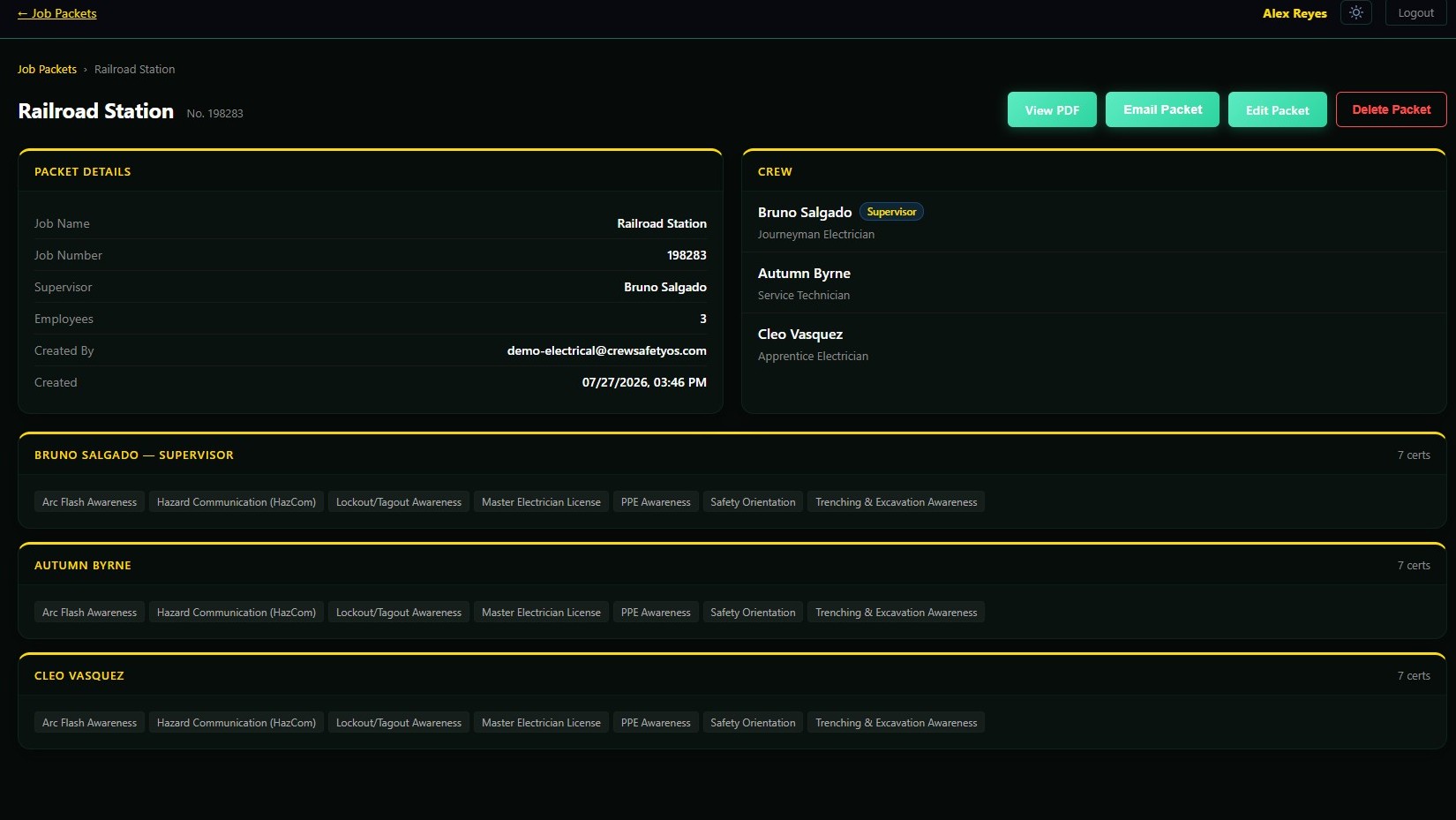
Start with CrewSafety when the immediate gap is knowing who is current, what expires next, what must be renewed, and how to send a defensible crew record when a client asks. See the workforce records CrewSafety tracks.
| Dimension | CrewSafety | DigiDocs |
|---|---|---|
| Credential & certification tracking | Core focus | Not the focus |
| Renewal & expiration alerts | Core focus | Not the focus |
| Equipment inspections & lift plans | Not the focus | Core focus |
| Job safety analyses (JSAs) | Not the focus | Core focus |
| Crew documentation packets for clients | Core focus | Not the focus |
| Worker onboarding | Core focus | Not the focus |
| Pricing | Published, flat per tier (/pricing) | Published, per tier (digidocs.app/pricing) |
Choose CrewSafety if...
- You need to know who is current, what expires next, and what must be renewed.
- You need a defensible crew record ready to send when a client asks.
- The immediate gap is worker readiness, not equipment condition.
Choose DigiDocs if...
- You need to digitize daily equipment checks, lift plans, and site forms.
- Your immediate gap is field evidence: inspections, deficiencies, and audit trails.
- The record you need centers equipment condition, not worker credentials.
A crew can look ready and still have a hidden gap.
A checklist cannot announce that a rigger's qualification expires before the next shutdown or that an assigned operator is missing a prerequisite. CrewSafety calculates that standing from every worker record and keeps the renewal clock running in the background.
Questions
What people ask when comparing crew records to equipment records
What is the difference between CrewSafety and DigiDocs?
DigiDocs publicly emphasizes equipment inspections, lift plans, job safety analyses, and field safety records. CrewSafety is workforce compliance software centered on a person's certifications, training, renewal dates, incident history, and job-ready records. A contractor may need both categories of workflow.
When is CrewSafety the better fit?
CrewSafety is the better fit when the central question is whether each worker is qualified and current before work begins, and when the organization needs certification expiry alerts, training records, compliance status, and crew documentation organized around the person.
Can a contractor use CrewSafety alongside an inspection platform?
Yes. Equipment and site inspections answer what was checked in the field. Workforce compliance answers whether the people assigned to work are qualified, trained, current, and documented. Those are related but distinct records.
How does CrewSafety's pricing compare to DigiDocs?
Both publish pricing directly. DigiDocs lists four tiers at digidocs.app/pricing (checked 2026-09-18): Starter at $49 a month, Professional at $99 a month, Enterprise at $249 a month, and Enterprise Plus at $499 a month, with a 14 day free Professional trial. CrewSafety publishes every tier's price on /pricing too; the Growth tier is a flat $649 a month for 50 profiles.
Does CrewSafety help with audit readiness the way DigiDocs' inspection records do?
Differently. DigiDocs' audit trail documents equipment condition and field inspections over time. CrewSafety's audit readiness is about the crew itself: whether every worker assigned to a job has a current, documented credential, packaged into a job packet ready to hand a client or an auditor on request.
Choose the system that owns your actual risk.
If the job is keeping credentials, training, and crew records current, put your roster in CrewSafety and see its standing immediately. Five profiles are free, with no credit card or sales call.