Built to watch the date, not just record it.
CrewSafety is workforce compliance software for skilled-trade crews that tracks a person's certifications, training, and renewal deadlines, not another sheet of cells. A spreadsheet is the most common way crews start tracking who's certified for what, and it's a genuinely reasonable place to start: free, flexible, and something everyone already knows how to use. Here's honestly where that stops being enough, and what to check before it costs you an audit finding.
There's nothing wrong with a spreadsheet. It costs nothing, opens instantly, and doesn't require anyone to learn a new tool or wait on a rollout. For a small crew with a handful of certifications to track, a sheet somebody built in an afternoon can genuinely be the right call. The honest question isn't whether a spreadsheet can hold the data. It's whether it can be trusted to notice a problem before an auditor, a client, or a site superintendent does.
CrewSafety is best for...
A crew that has outgrown manual tracking and needs the system to catch a lapsed credential before an audit does.
Spreadsheets are best for...
A small crew just getting started, with a handful of certifications and no budget for software yet.
The main tradeoff: A spreadsheet costs nothing and takes minutes to start; it just doesn't watch the date for you, and one dragged cell can quietly misalign every expiration in the file without any warning.
Last reviewed September 18, 2026
Cheap to start, expensive to trust
Spreadsheets
CrewSafety
Spreadsheets: Free, flexible, zero setup
Any column layout, any formula, any color-coding a crew wants to invent. No account to provision, no rollout, no cost. For a short list of people and credentials, that flexibility is a genuine advantage over anything that has to be configured first.
CrewSafety: Organized around the credential's own clock
Every certification already has a structure: an issuer, a completion date, a renewal period. CrewSafety starts from that structure instead of a blank grid, so a new hire's credentials are tracked the same way on day one as everyone else's, with nothing to invent or maintain by hand.
Nothing watches the sheet for you
A spreadsheet only shows what someone opens it and looks for. Conditional formatting can turn a cell red, but nothing taps anyone on the shoulder. If nobody opens the file the week a card expires, the sheet doesn't know to say anything.
A record that speaks up on its own
CrewSafety runs the clock on every credential and sends an alert weeks before it lapses, without anyone having to remember to check. The deadline finds the right person instead of waiting for the right person to find it.
One dragged cell from wrong
A formula copied down the wrong number of rows, a sort applied to one column but not the rest, a row deleted mid-sheet: any of these can silently misalign dates across the whole file, and a spreadsheet gives no warning when it happens. It keeps looking correct right up until someone relies on a number that already isn't.
No formula to drag, nothing to misalign
Certification data lives in a structured record instead of a grid of cells and formulas, so there's no drag-fill, no manual sort, and no way for one person's edit to quietly shift someone else's expiration date.
No file to attach a document to
A spreadsheet cell holds text: a date, a name, a certificate number. There's nowhere to actually attach the certification card, license scan, or completion certificate next to the expiration date it belongs to, so the real proof usually lives somewhere else entirely, disconnected from the row that tracks it.
The document lives with the record
Each credential holds its own document, attached to the person and the expiration date it applies to, so the proof an audit asks for is exactly where the tracking already is, not in a separate folder somebody has to go find.
All-or-nothing access, and no memory of changes
Sharing a spreadsheet is usually file-level: whoever can edit it can see and change every row, not just the crew they supervise. Locking down individual rows is possible in most spreadsheet tools, but it has to be redone by hand for every row added, and a plain file emailed around keeps no record of who changed what or when.
Scoped access, tracked automatically
A supervisor sees the crew they're responsible for, not the whole company, without anyone manually protecting rows as new people are added. And nothing in the record changes without it being attributable, so an audit doesn't start with "we're not sure who updated this."
| Dimension | CrewSafety | Spreadsheet |
|---|---|---|
| Credential & certification tracking | Core focus | Supported (manual) |
| Renewal & expiration alerts | Core focus | Not built in |
| Change history / who edited what | Core focus | Not built in |
| Document attached to the record | Core focus | Not built in |
| Row/record-level access control | Core focus | Manual, file-level only |
| Setup time | Minutes, guided | Minutes, self-built |
| Cost | Free up to 5 profiles (/pricing) | Free |
Choose CrewSafety if...
- Your sheet has to actively remind someone that a date is coming, not just show it to whoever opens the file.
- You need to know who changed a record, and when, without a manual version-history check.
- You want the certification document itself attached to the record, not filed somewhere else.
- You've had (or want to avoid) a credential caught by a client audit instead of by your own tracking.
Keep the spreadsheet if...
- You're tracking a handful of people and certifications for a small crew.
- Free and zero setup matters more right now than automatic alerts.
- Everyone who needs the sheet already knows how to use one.
Still looks like a grid. Nothing left to drag.
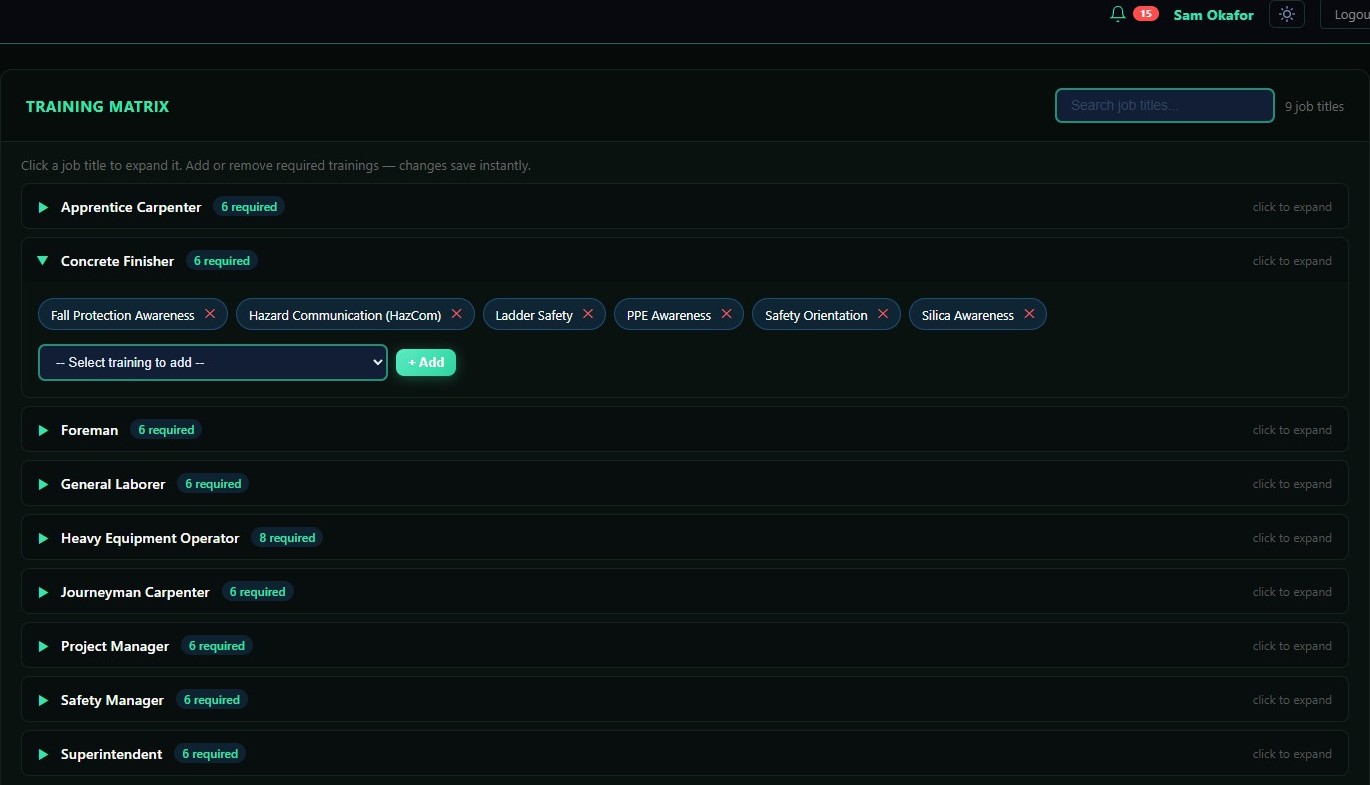
Each job title's required training lists down the side, each person's status colors itself in, and expirations recompute the moment a date changes, not the next time someone remembers to update a formula. It reads like the sheet a crew already knows how to use, minus the row that gets deleted by accident.
Questions
What people ask before moving off a spreadsheet
Is a spreadsheet good enough for tracking certifications?
For a small crew, often yes. A spreadsheet is free, everyone already knows how to use one, and a blank sheet takes a few minutes to set up. It works until the sheet has to actively remind someone that a date is coming, prove who changed what, or hold the actual certification document next to the row it belongs to. Those are the jobs spreadsheets weren't built for.
Can a spreadsheet alert someone before a certification expires?
Not on its own. A spreadsheet only shows what a formula was written to show, and only to someone who opens the file and looks. Conditional formatting can color a cell red, but nothing pushes a notification to the person who needs to act unless a separate reminder system is built and maintained alongside it, by hand, for every row added.
How easy is it to break a spreadsheet used for certification tracking?
Easier than most people expect. A dragged formula, a sort applied to one column but not the rest, or a row deleted mid-sheet can silently misalign every date in the file, and there's usually no error message when it happens. The sheet keeps looking normal right up until someone relies on a number that's already wrong.
Does a spreadsheet keep a record of who changed what?
Rarely, in practice. A plain file emailed or shared over a network drive keeps no change history at all. Some cloud spreadsheet tools keep a version history if someone thinks to check it, but it's not a per-field audit log built for the sheet's actual purpose, and it doesn't survive the file being copied, exported, or re-shared.
Can a spreadsheet restrict who sees which rows?
Only with manual setup that has to be repeated. Most spreadsheet sharing is file-level: whoever has edit access to the file can see and change every row in it, not just the crew they supervise. Locking down individual rows or ranges is possible in most spreadsheet tools, but it means protecting each new row as it's added, which is easy to skip and hard to audit later.
When does a crew typically outgrow a spreadsheet for certification tracking?
Usually not on a headcount threshold, but the day an expired card gets caught by a client audit or a site walk-on instead of by whoever was supposed to be watching the sheet. A spreadsheet doesn't fail loudly; it just quietly stops being checked as the crew, and the sheet, grow past what one person can hold in their head.
Already tracking in a sheet?
Move your crew into CrewSafety once and it takes over watching every expiration date from there, no more opening a file to check who's current.
Start free →Don't have one started yet?
Grab our free training matrix template: pre-built formulas, color-coded expirations, no setup beyond typing in your own crew.
Get the free template →You don't have to guess where your sheet already broke.
Enter your crew's certifications into CrewSafety once, and the system takes over watching every expiration date from there. If a card lapsed while nobody was looking, you'll see it instantly. If everyone is current, you can finally close that file for good and let the system watch the clock. Five profiles, free forever. No credit card, no sales call.